Whiteboard to diagram

Whiteboard photo to editable diagram, in one pass.

SketchAlchemy turns a phone photo of a whiteboard into a clean diagram and an editable Excalidraw scene. It straightens the shot, removes shadows and background, turns handwriting into typed text and rebuilds boxes and arrows as real objects, so the meeting's diagram can go into a design doc instead of a chat thread.

The board gets wiped. The photo isn't enough.

At the end of the meeting someone photographs the board. What survives is a shot taken at an angle, with half the labels in someone else's handwriting and the bottom corner cut off. Redrawing it properly takes an hour, so usually nobody does, and the decision slowly loses its record.

Run the photo through Sanitize + Convert and you get two things back. A clean, straightened image you can drop into the chat or a slide right away, and an editable Excalidraw scene in which the services, queues and arrows are real objects in the places you drew them. Rename a box, add the cache everyone forgot, and paste it into the design doc, the wiki or the onboarding guide.

The output is Excalidraw: .excalidraw for excalidraw.com and repositories, .excalidraw.md for an Obsidian docs vault. If your team standardises on draw.io or Mermaid, this is not a converter to those formats.

Where the scene goes next is up to you. Commit the .excalidraw file next to the architecture decision record so the diagram is versioned with the code, export an SVG or PNG from Excalidraw for Confluence or Google Docs, or keep the .excalidraw.md in a team Obsidian vault. Because every element stays editable, the diagram can follow the system as it changes instead of freezing on the day of the meeting.

From board to doc
  1. Photograph the board before anyone wipes it.
  2. Upload it and run Sanitize + Convert, about $1.00 in credit.
  3. Check the result and fix anything misread, in Excalidraw.
  4. Share the clean PNG now; keep the scene as the diagram you maintain.
Five habits for a photo that converts well.

  1. Stand square to the board. A moderate angle gets straightened; a steep one loses the far edge.
  2. One diagram per photo. If the board holds several, take one shot of each so each becomes its own scene.
  3. Skip the flash. Move to one side until reflections leave the writing; marker under glare is the hardest thing to read.
  4. Fill the frame. Get close enough that the smallest label is still legible on your phone screen.
  5. Keep the original. Store the photo next to the scene, so anyone can check a label against what was actually written.

Coloured markers stay coloured, so a red failure path stays red. Sticky-note walls work too: each note becomes a coloured card with its text typed out (see sticky-note walls).

Real conversions

Real boards, real scenes.

Each pair is an actual whiteboard photo and a render of the Excalidraw scene it produced, unedited.

Original
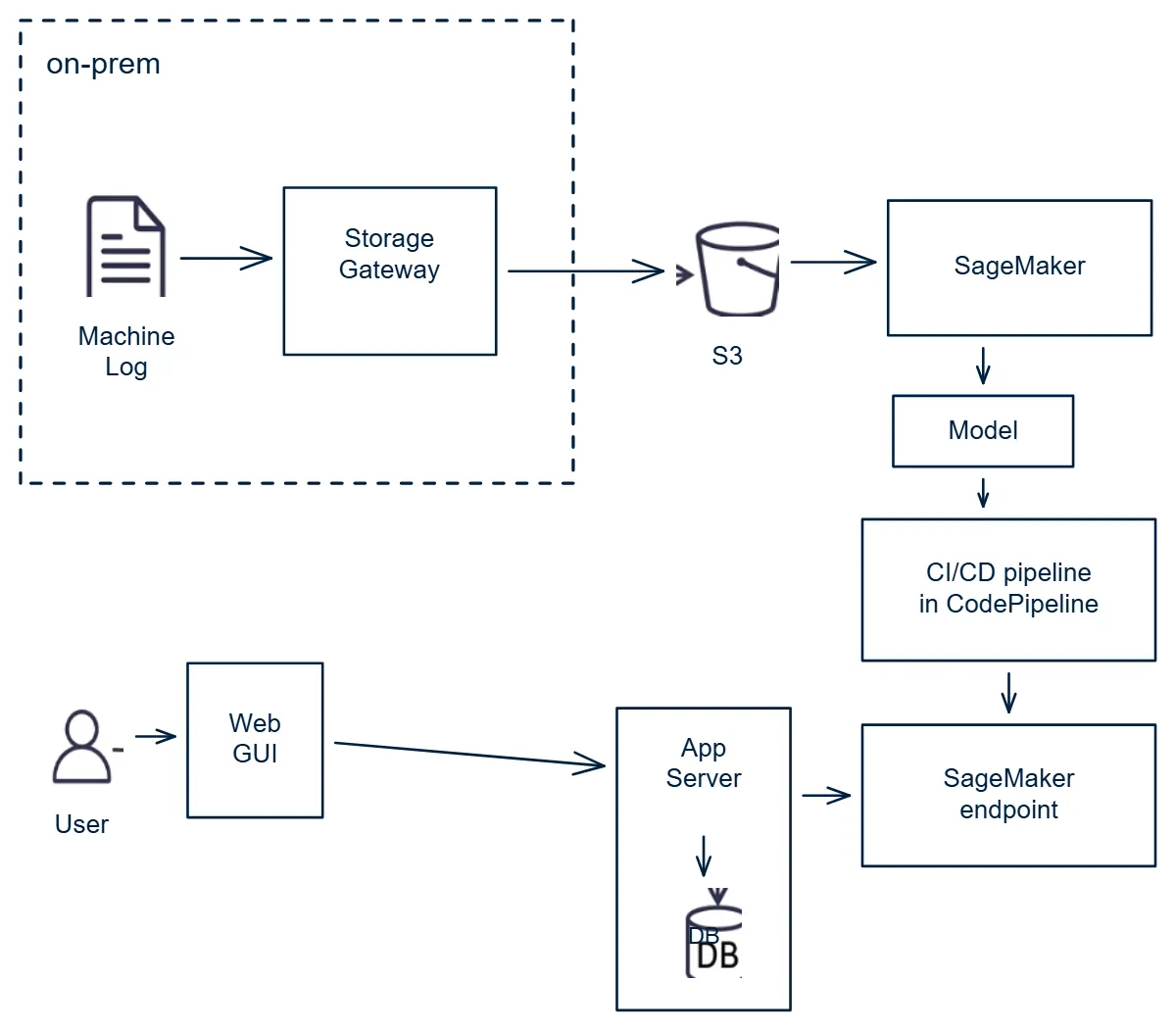
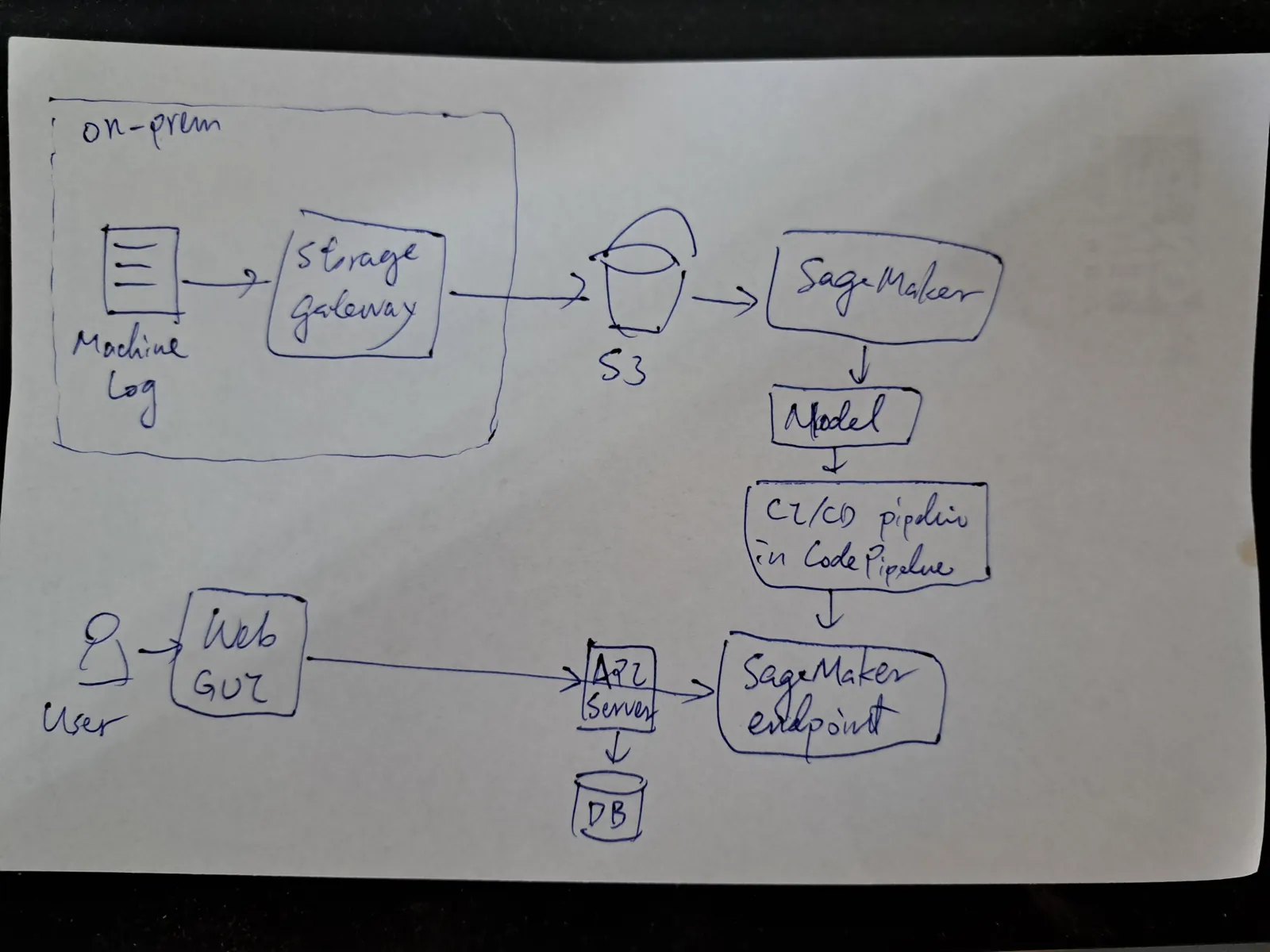
Whiteboard photo of a machine learning pipeline architecture drawn in blue marker, with storage, model and endpoint boxes
Editable in Excalidraw
The same architecture as an Excalidraw scene with labelled service boxes, icons and arrows
An ML pipeline architecture: services became labelled boxes and icons.
Original
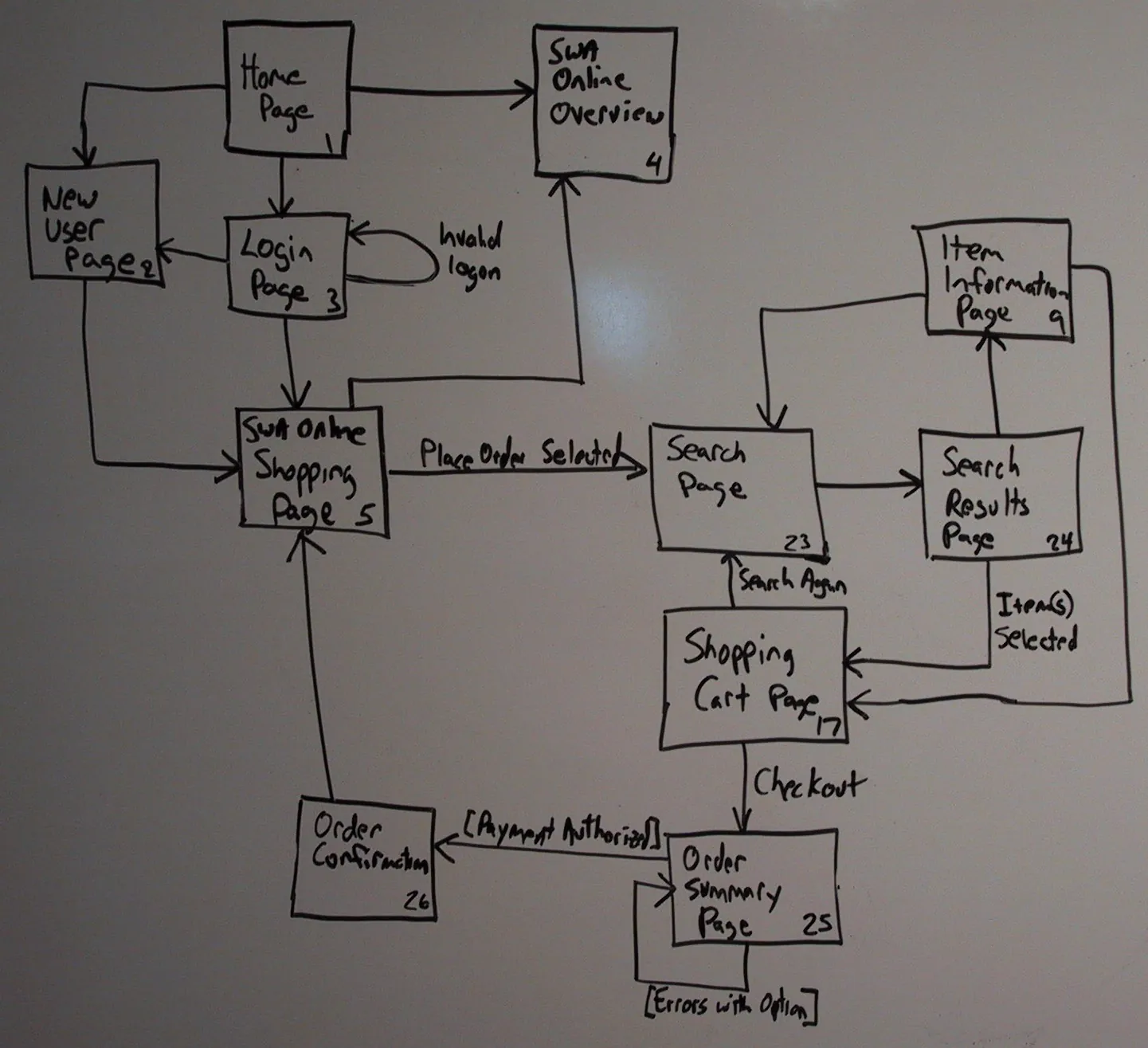
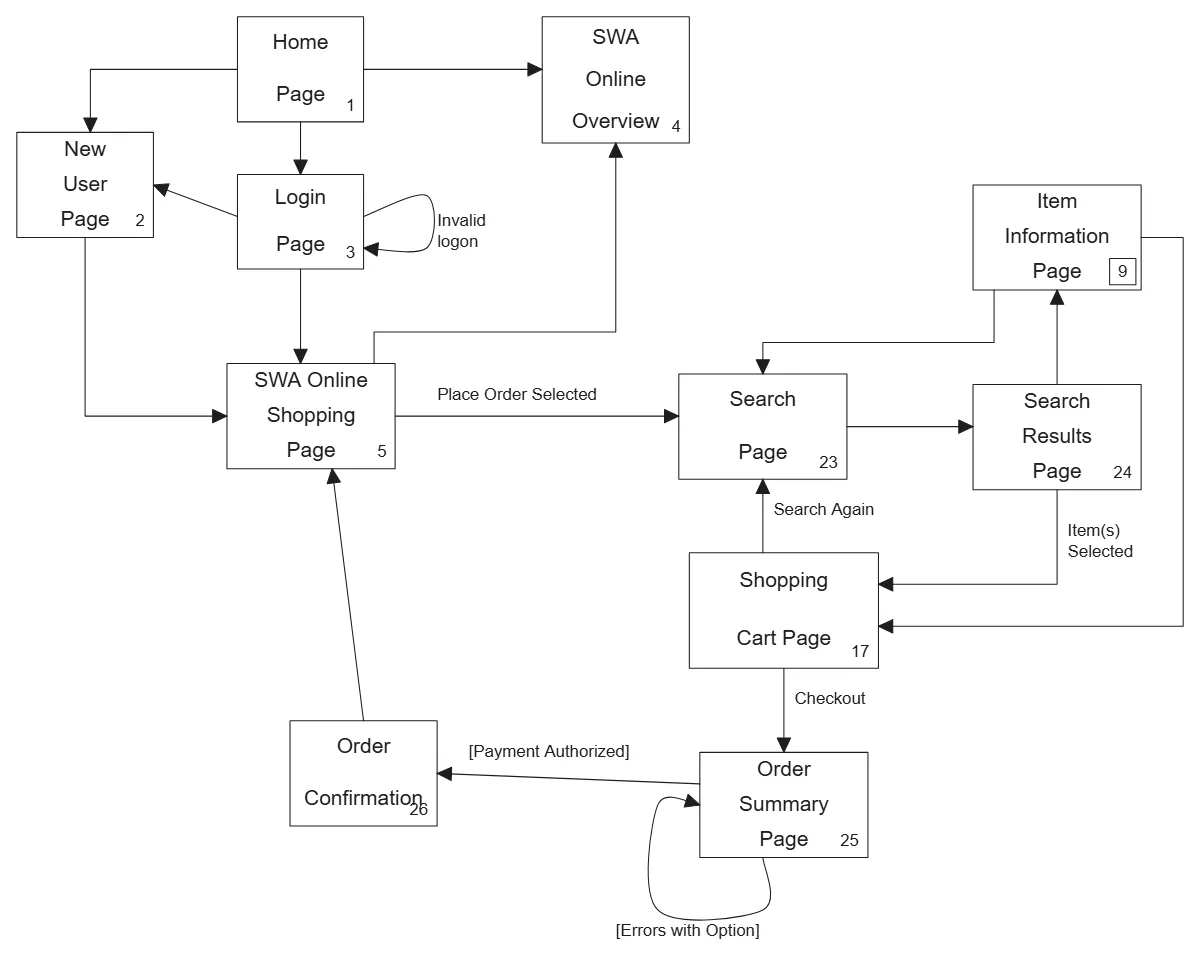
Dim, angled photo of a whiteboard flowchart of shop pages from home page to order confirmation
Editable in Excalidraw
The same page flow in Excalidraw with typed page names and connecting arrows
A dim, angled shot of a page flow, straightened and rebuilt.
Original
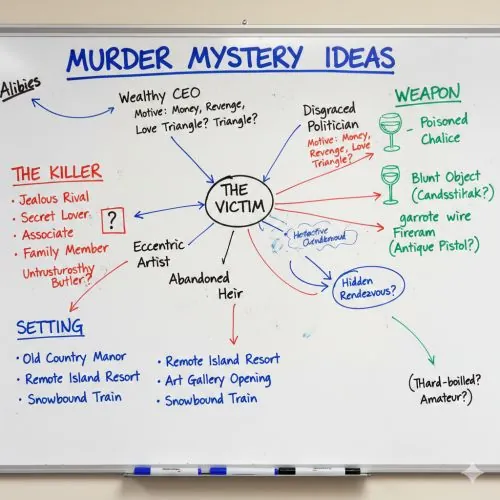
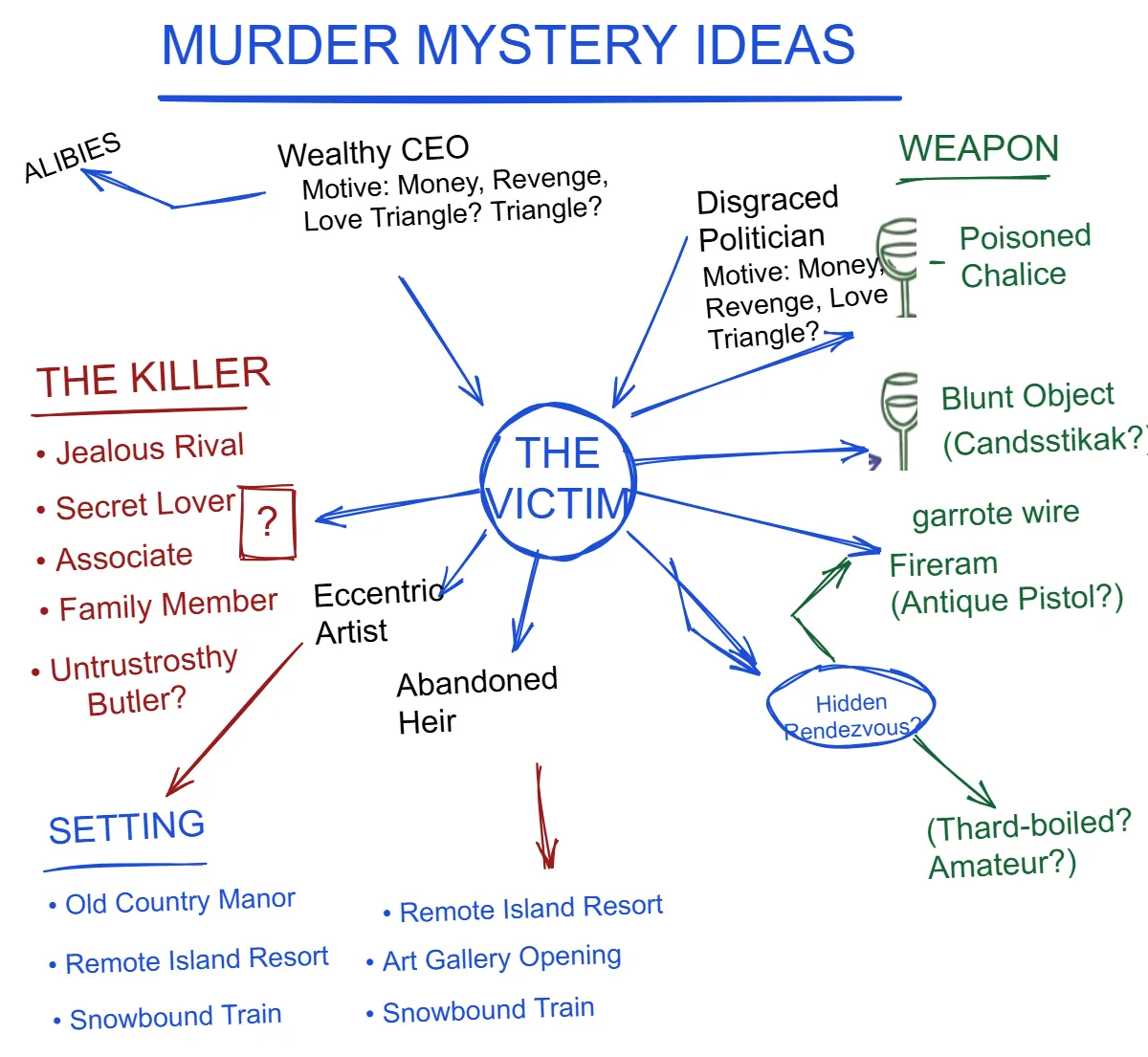
Whiteboard brainstorm for a murder mystery story in red, blue and green marker around a central circle
Editable in Excalidraw
The same brainstorm as an Excalidraw scene with the colours, groups and connections preserved
A colourful brainstorm: marker colours and grouping kept.
Questions

Before you upload.

Does the board need to be clean?

No. Sanitize straightens skewed photos and removes shadows, hands and background around the board. It does not invent text it cannot read: illegible areas are left out rather than guessed.

What if the photo is blurry?

Blur costs accuracy on small labels. Retake the photo if you can; otherwise convert it and correct the few labels it misread. See the accuracy note.

Can I get draw.io or Visio files?

No. The output is Excalidraw (.excalidraw, .excalidraw.md) and a clean PNG.

Who can see my photos?

Your conversions are in your own history. Images are processed in Google Cloud and converted by Google's Gemini models; see the Privacy Notice.

Try it on your own sketch.

Every new account starts with $3.00 of free credit, no card required. A single pass costs about $0.25, a full Sanitize + Convert about $1.00, and you see the estimate before anything runs.