Obsidian + Excalidraw

Handwritten notes into Obsidian Excalidraw, searchable and editable.

SketchAlchemy converts a photo or tablet export of handwritten notes into an .excalidraw.md file for Obsidian's Excalidraw plugin. Your handwriting becomes typed text that Obsidian search can find, the diagram stays editable in the plugin, and the file sits in your vault like any other note you can link and tag.

Two knowledge bases, and only one of them you can search.

If you think on paper, an iPad or a reMarkable, your vault ends up split. The typed notes link and surface in search; the handwritten pages sit there as screenshots. You can place a screenshot on an Excalidraw canvas, but it stays a picture: no search, no editing, and nothing to extend when the idea grows six months later.

A converted page behaves like the rest of the vault. The plugin stores every text element in the file's Text Elements section, so a word you wrote by hand turns up in Obsidian search. The boxes and arrows stay where you put them and stay editable, and anything the model misread you fix right in the note (see the accuracy note). Scenes are re-baked for a light or dark theme, so the note reads correctly in the theme your vault uses.

Into your vault, step by step
  1. In Obsidian, open Settings → Community plugins, browse for Excalidraw by Zsolt Viczián, then install and enable it.
  2. Export the page: share it as PNG from a reMarkable, export or screenshot it on an iPad, or photograph paper with your phone (HEIC is fine).
  3. In SketchAlchemy, run Convert for clean tablet exports or Sanitize + Convert for photos, and pick the theme that matches your vault.
  4. Download the .excalidraw.md file, give it a meaningful name, and move it into any folder of your vault.
  5. Link it from any note with [[name.excalidraw]], or embed it with ![[name.excalidraw]].

Habits that keep a handwritten vault useful.

  1. Name files after the idea, not the export. image1_light.excalidraw.md means nothing in six months; media-bias-mindmap.excalidraw.md turns up in the quick switcher.
  2. Embed it where the thought belongs. Put ![[name.excalidraw]] in the daily or project note the page came from, so the drawing shows inline.
  3. Pick your theme once. If your vault is dark, convert in dark: the scene is re-baked so dark ink still reads on a dark background, and every embed matches.
  4. Keep the source page. Store the original photo in your attachments folder and link it from the note, so you can check a word against what you actually wrote.
  5. Convert what you will reuse. A page you will extend or search for is worth a conversion; a throwaway scribble is not.

Converting a page with typed-out handwriting is the step that makes it findable. Once it is in the vault, it behaves like any other note: backlinks, graph view and search all see it.

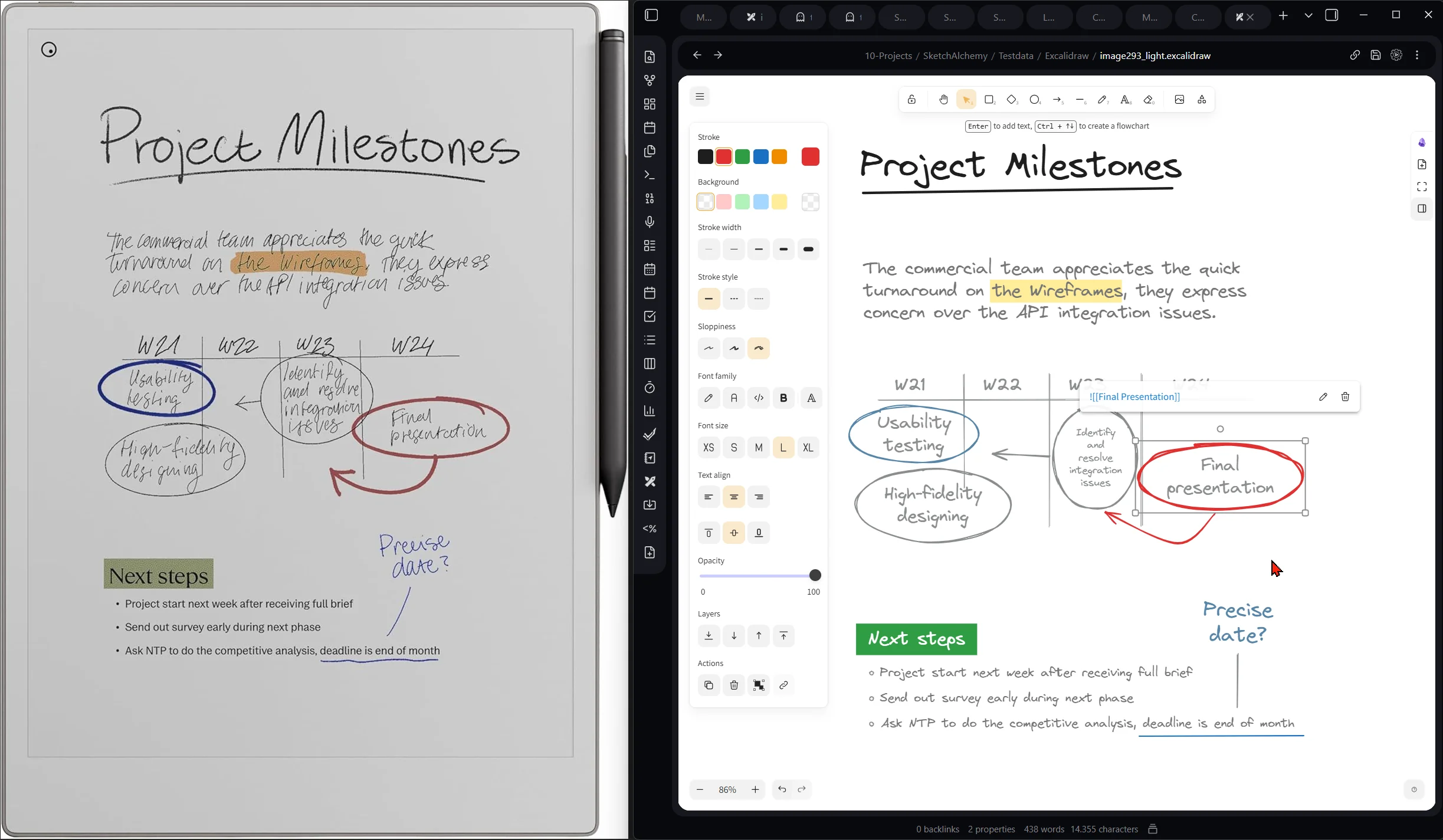
A handwritten 'Project Milestones' page on a reMarkable tablet next to the same diagram converted and open in an Obsidian note via the Excalidraw plugin, light theme
A reMarkable page on the left; the same diagram live in an Obsidian note on the right.
Real conversions

Handwriting in, typed and editable out.

Real notebook pages and a render of the scene each one became, unedited.

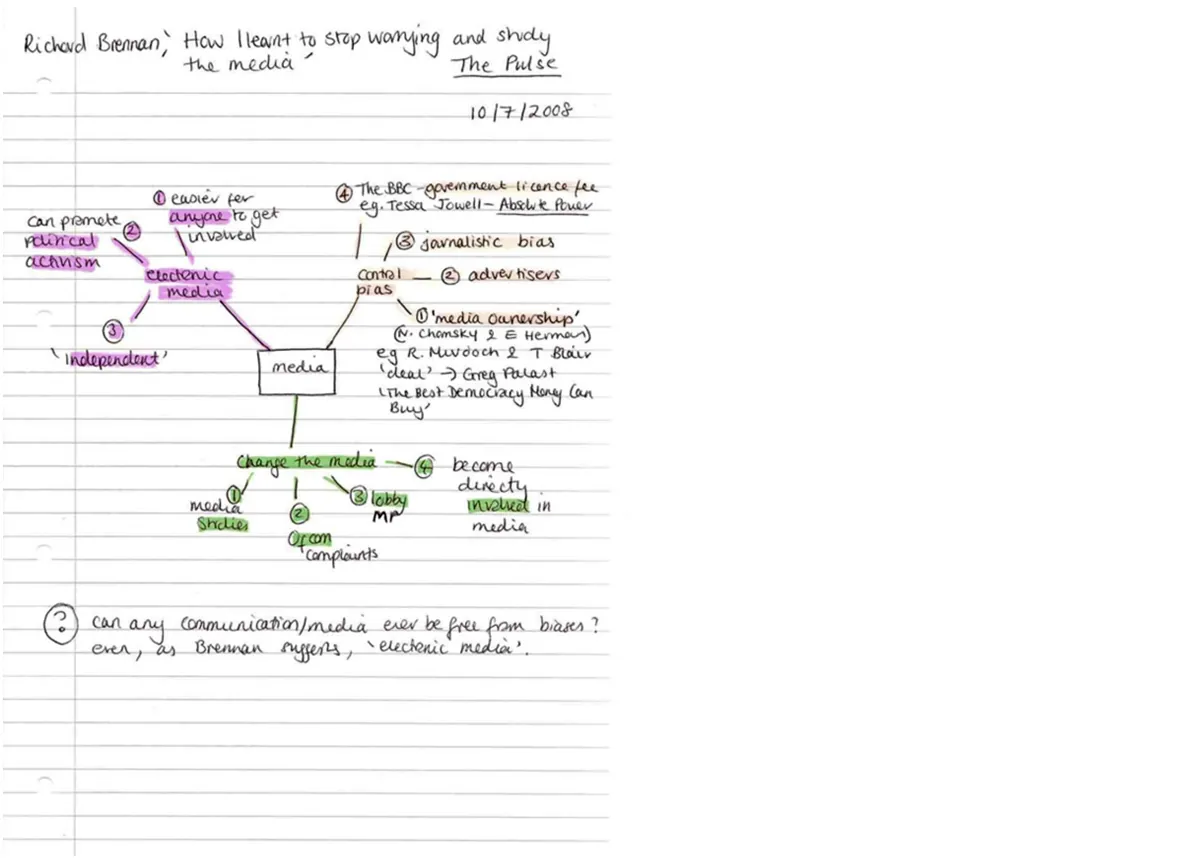
Original
Notebook page with a handwritten mind map about media studies, in blue ink with pink and green highlights
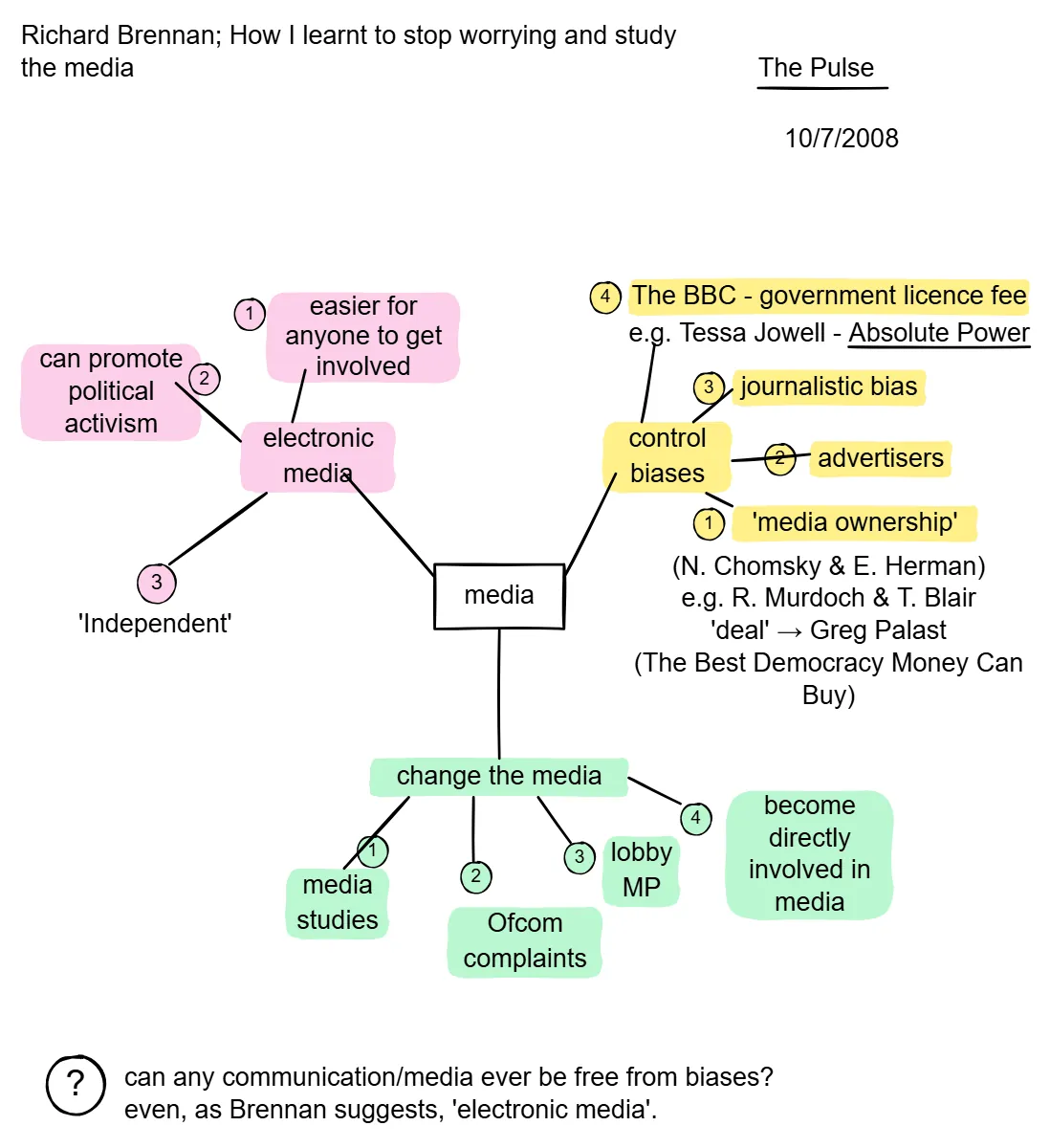
Editable in Excalidraw
The same mind map as an Excalidraw scene with typed text, coloured highlights and connecting lines
A notebook mind map: every handwritten note became searchable text.
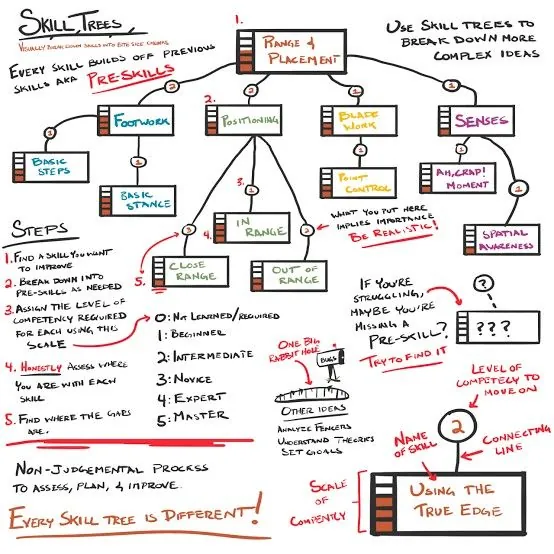
Original
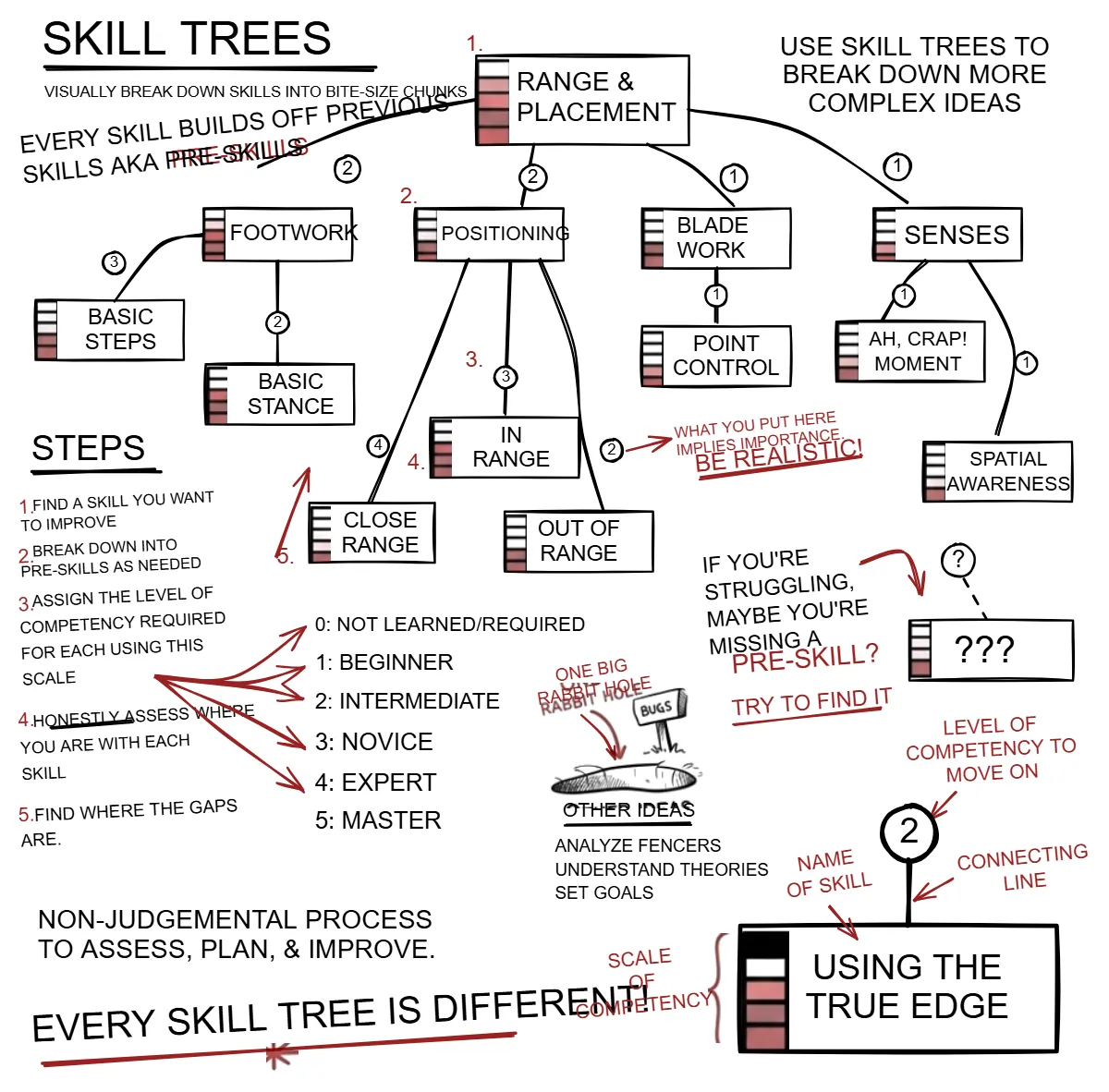
Densely handwritten study notes about skill trees, with red boxes, highlights and small diagrams
Editable in Excalidraw
The same notes as an Excalidraw scene: typed text in the original positions, boxes and highlights kept
Dense study notes: text in place, boxes and highlights kept.
Questions

Before you upload.

Do I need the Excalidraw plugin?

Yes, to view and edit the drawing. Without it, Obsidian shows the file's markdown: the typed text elements, followed by the drawing data.

Does it work with reMarkable and iPad notes?

Yes. Export the page as an image from the tablet and upload it. Clean tablet exports usually only need Convert, which is the cheaper single pass.

Can I keep editing after import?

Yes. It is a normal Excalidraw drawing in your vault: move things, retype text, add new elements, link it from other notes.

Can I download a conversion again later?

Yes. Every conversion is kept in your history in the app, so you can download the file again.

Try it on your own sketch.

Every new account starts with $3.00 of free credit, no card required. A single pass costs about $0.25, a full Sanitize + Convert about $1.00, and you see the estimate before anything runs.